
Published by Va Infotech | vainfotech.com/blog
Most business owners only think about an SEO audit after traffic has already dropped. By then, you’re not fixing small cracks — you’re digging out of a hole. A proper audit catches the problem while it’s still cheap to fix: a missing meta tag, a slow-loading image, a redirect chain nobody noticed, a page that quietly stopped ranking six months ago.
This checklist walks through every layer of a modern SEO audit — technical, on-page, content, off-page, and the newer layer most checklists still ignore: whether your site is structured well enough for AI search tools to find and cite it. Work through it section by section, or use it as a reference the next time something on your site needs a second look.
What Is an SEO Audit, and Why Does Your Business Website Need One?
An SEO audit is a structured review of your website’s ability to be crawled, indexed, ranked, and clicked on — across both traditional search engines and, increasingly, AI search tools like ChatGPT and Google’s AI Overviews. It’s not a one-time task you complete and forget. Search engines update their algorithms constantly, your competitors publish new content, and your own site accumulates small technical issues over time — broken links, outdated plugins, orphaned pages, thin content that used to be fine and no longer is.
For a business website specifically, the stakes are higher than for a personal blog. Every ranking drop is a potential lead lost to a competitor. A slow checkout page on an e-commerce store is a sale walking out the door. An audit exists to catch these issues before they cost you traffic, leads, or revenue — and to give you a prioritized list of what to fix first.
Businesses that treat SEO audits as routine maintenance — quarterly or twice a year — consistently outperform those that only audit reactively, after a ranking crash. If your last audit was more than six months ago, or you’ve never run one, this checklist is your starting point.
Part 1: Technical SEO Audit Checklist
Technical issues are the foundation. If search engines can’t crawl and index your site properly, nothing else in this checklist matters.
Crawlability and indexing
- Confirm your
robots.txtfile isn’t accidentally blocking important pages. - Check Google Search Console’s Coverage report for pages marked “Excluded” that should be indexed.
- Make sure your XML sitemap is up to date, submitted to Search Console, and doesn’t include broken or redirected URLs.
- Look for orphaned pages — pages with no internal links pointing to them, which search engines struggle to find.
Site speed and Core Web Vitals
- Run your key pages through Google PageSpeed Insights and check Largest Contentful Paint (LCP), Interaction to Next Paint (INP), and Cumulative Layout Shift (CLS).
- Compress and correctly size images — oversized images are the most common cause of slow load times on business sites.
- Check whether your hosting is actually fast enough for your traffic; a well-optimized site on slow shared hosting still loads slowly. This is one of the most overlooked items on any audit, and it’s why we treat reliable web hosting as part of the technical SEO conversation, not a separate issue.
HTTPS and security
- Confirm the entire site runs on HTTPS, not just the homepage.
- Check for mixed-content warnings (HTTP resources loading on HTTPS pages).
- Verify your SSL certificate isn’t close to expiring.
Mobile-friendliness
- Run Google’s Mobile-Friendly Test on your top pages.
- Check that tap targets, font sizes, and pop-ups aren’t creating a poor mobile experience — Google indexes and ranks primarily using the mobile version of your site.
Structured data and schema markup
- Check whether your pages use Organization, LocalBusiness, Article, FAQ, or Product schema where relevant.
- Validate existing schema with Google’s Rich Results Test to catch errors.
- Schema doesn’t just help traditional search — it’s also one of the clearest signals AI systems use to understand what a page is about, which matters more every month as AI-driven search grows.
Broken links and redirects
- Crawl the site with a tool like Screaming Frog to find 404 errors and broken internal or external links.
- Check for redirect chains (A → B → C) and flatten them to a single redirect.
- Confirm old URLs from any past site migration still redirect correctly — this is a common issue after a website redesign if redirects weren’t mapped carefully.
Part 2: On-Page SEO Audit Checklist
On-page SEO is about making sure each individual page is doing everything it can to earn a ranking and a click.
Title tags and meta descriptions
- Every page should have a unique title tag, ideally under 60 characters, with the primary keyword placed naturally near the front.
- Meta descriptions should be unique, under 160 characters, and written to earn a click — not just stuffed with keywords.
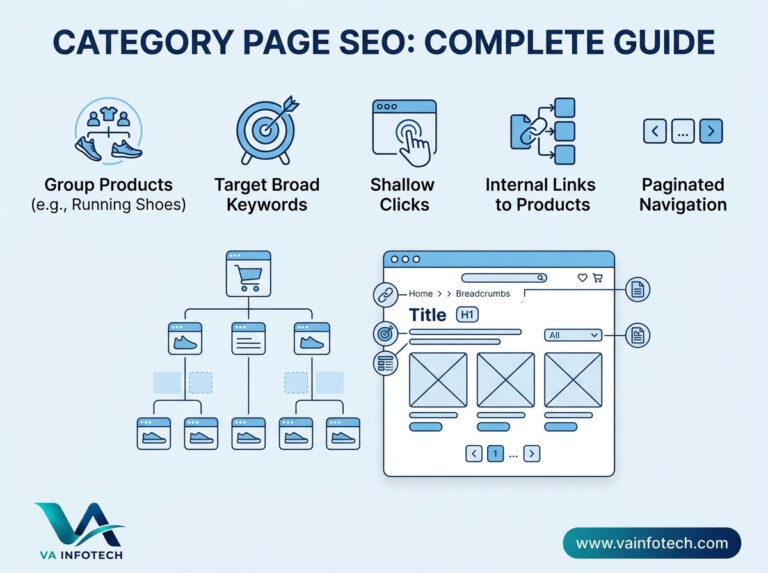
- Flag any pages with missing, duplicate, or auto-generated title tags — a common issue on e-commerce category pages.
Header structure
- Confirm each page has exactly one H1 that clearly describes the page’s topic.
- Check that H2s and H3s are used to organize content logically, not just for visual styling.
- For pages you want to show up in AI-generated answers, check whether a clear, direct answer appears within the first sentence or two under each heading — this single habit does more for AI visibility than almost any other on-page change.
Keyword usage and search intent
- Verify each page targets a specific keyword or topic cluster, not five unrelated ones.
- Check that content actually matches the intent behind the keyword — a page targeting “how does website hosting work” needs to explain, not just sell.
- Look for cannibalization: two or more pages competing for the same keyword, splitting your ranking potential instead of combining it.
Content quality
- Identify thin pages (under roughly 300 words) that don’t fully answer the query they’re targeting.
- Check for duplicate content across pages, including boilerplate text repeated with no unique value added.
- Confirm content is genuinely accurate and up to date — outdated statistics, old screenshots, or dead product references quietly damage both trust and rankings.
Images and alt text
- Confirm all meaningful images have descriptive alt text, not just for accessibility but because it’s a ranking factor in image search.
- Check image file sizes and formats (WebP where possible) for load speed.
- Rename generic file names like
IMG_2043.jpgto something descriptive before uploading.
URL structure
- URLs should be short, readable, and include the target keyword where natural.
- Avoid unnecessary parameters, session IDs, or deeply nested folder structures.
- Keep URL structure consistent across the site — mixing conventions confuses both users and crawlers.
Internal linking
- Every important page should be reachable within three clicks from the homepage.
- Link from high-authority pages (like your homepage or top blog posts) to newer or underperforming pages that need a boost.
- Use descriptive anchor text instead of “click here” — anchor text tells search engines what the linked page is about.
Part 3: Content Audit
A content audit looks at your site holistically rather than page by page.
- Inventory everything. Export a full list of URLs and note which pages are driving traffic, which are stagnant, and which have effectively dropped out of the index.
- Consolidate or prune thin, overlapping pages. Three thin blog posts on the same topic usually rank worse than one comprehensive one. Merge them and redirect the old URLs.
- Check topical depth. Search engines and AI models alike increasingly favor sites with genuine depth on a topic — a real content cluster with internal links, not a handful of disconnected posts. If your SEO service content strategy hasn’t been reviewed in over a year, this is usually where the biggest gains are hiding.
- Evaluate E-E-A-T signals. Does the content have a visible author, real credentials, and evidence of first-hand experience? Google’s Experience, Expertise, Authoritativeness, and Trustworthiness framework applies to business content just as much as to publishers.
- Freshness. Cornerstone pages — your main service pages, top blog posts, comparison pages — should be revisited and updated on a regular schedule, not published once and left untouched for years.
Part 4: Off-Page SEO Audit
Off-page factors are harder to control directly, but they still need regular review.
- Backlink profile. Use a tool like Ahrefs, Semrush, or Google Search Console’s Links report to check who’s linking to you. Look for a healthy growth trend and flag any spammy or irrelevant links that may need disavowing.
- Brand mentions. Search for your business name across the web, even where it isn’t linked. Unlinked mentions still contribute to how both search engines and AI models learn to associate your brand with your industry.
- Local SEO signals (if applicable). Confirm your Google Business Profile is claimed, complete, and consistent with your website’s name, address, and phone number. Check for consistent citations across directories.
- Competitor comparison. Look at where competitors are getting links and mentions that you aren’t — directories, industry publications, guest posts — and treat that gap as a to-do list.
Part 5: The AI Search (GEO) Layer
Most SEO checklists stop at traditional search. That’s no longer enough. A growing share of research-stage queries now get answered directly inside ChatGPT, Gemini, Perplexity, and Google’s AI Overviews — often without a single click to any website. Add these checks to your audit:
- Does each key page lead with a direct, extractable answer near the top, before going into detail?
- Is content organized with clear, descriptive headings an AI system can parse easily?
- Does the site have FAQ, Article, and Organization schema in place?
- Does your brand show up on third-party sites, reviews, and directories — or only on your own domain?
- Have you actually asked ChatGPT, Gemini, or Perplexity a question relevant to your industry to see whether your business gets mentioned at all?
We cover this in far more depth in our guide to what AI SEO is and how to rank in AI search results — worth reading in full if this is new territory for your team. It’s also the core of our dedicated Large Language Model SEO service, built specifically around this gap.
Part 6: User Experience and Conversion Audit
Rankings only matter if visitors convert once they arrive.
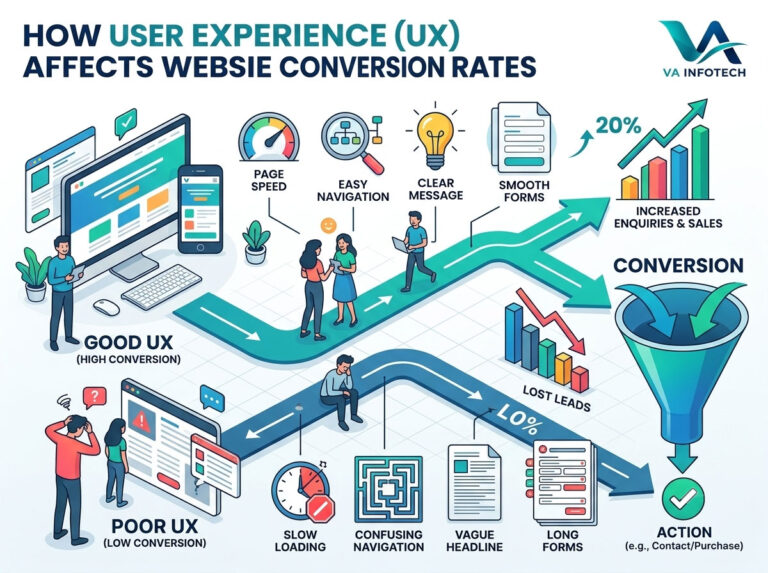
- Check navigation clarity — can a first-time visitor find what they need within a few clicks?
- Review your calls-to-action: are they visible, specific, and placed where intent is highest?
- Test forms and checkout flows on both desktop and mobile for friction points.
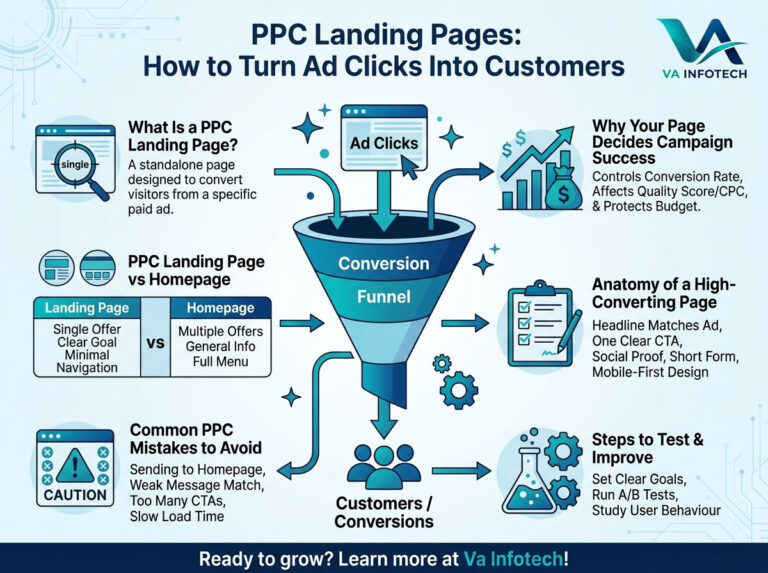
- If your site handles online sales, review the checkout and product pages specifically — page speed and clarity matter even more where money changes hands, which is why e-commerce website design reviews are usually a separate, deeper pass from a standard content audit.
Part 7: Analytics and Tracking Audit
An audit is only as good as the data behind it.
- Confirm Google Analytics 4 and Google Search Console are both installed correctly and verified.
- Check that conversion events (form submissions, calls, purchases) are actually firing and being recorded.
- Review your top landing pages by organic traffic and cross-reference with your on-page audit findings — pages losing traffic often show up as underperforming here first.
How Often Should You Run an SEO Audit?
A full audit, covering every section above, is worth doing at least twice a year for most business websites. A lighter technical check — broken links, page speed, indexing status — is worth running monthly, especially after any site changes, plugin updates, or a website maintenance cycle. If you’ve just gone through a website redesign or migration, run a full audit within the first two weeks to catch redirect and indexing issues before they compound.
Common Mistakes We See in Business Website Audits
- Treating SEO and site speed as separate problems. They aren’t — a beautifully optimized page on slow hosting still underperforms.
- Fixing symptoms instead of causes. Rewriting a page’s content won’t help if the real issue is that the page isn’t being indexed at all.
- Auditing once and never again. Search engines change, competitors publish, and your own site drifts. A single audit is a snapshot, not a strategy.
- Ignoring AI search entirely. Sites that only optimize for the traditional ten blue links are increasingly missing a growing share of research-stage traffic.
- No follow-through. An audit that produces a long list of issues nobody actually fixes isn’t worth the time it took to run.
How Va Infotech Can Help
Running a genuinely thorough SEO audit takes time, the right tools, and enough experience to know which findings actually matter versus which are noise. At Va Infotech, our Search Engine Optimization team runs full technical, on-page, content, and off-page audits for business websites, paired with our Large Language Model SEO service for businesses that want to show up in AI-generated answers as well as classic search results.
If your site also needs structural work — a full website redesign, ongoing website maintenance, or faster web hosting — we handle that alongside the audit itself, so fixes don’t get stuck waiting on a separate vendor. And once your technical and content foundation is solid, our digital marketing, social media marketing, and PPC setup and marketing services help turn that improved visibility into actual leads.
You can browse more of our thinking on search and website strategy on the Va Infotech blog, including our recent deep dive on Web Design topics.
Frequently Asked Questions
How long does a full SEO audit take? For a typical small-to-midsize business website, a thorough audit covering technical, on-page, content, and off-page factors usually takes anywhere from a few days to two weeks, depending on site size and how many issues surface along the way.
Can I run an SEO audit myself, or do I need an agency? Basic checks — broken links, page speed, mobile-friendliness — are doable with free tools like Google Search Console and PageSpeed Insights. Deeper technical audits, content strategy review, and backlink analysis usually benefit from professional tools and experience, since misdiagnosing the cause of a ranking issue can send you fixing the wrong thing entirely.
What’s the difference between an SEO audit and ongoing SEO work? An audit is a diagnostic snapshot — what’s wrong, right now. Ongoing SEO is the continuous work of fixing those issues, publishing and updating content, building authority, and monitoring performance over time. Think of the audit as the map and ongoing SEO as the actual journey.
Do I need a separate audit for AI search visibility? Not necessarily a separate audit — but a modern SEO audit should include the AI search checks covered in Part 5 above. Most of the same fixes (structure, clarity, schema, credibility signals) benefit both traditional rankings and AI citations at the same time.
Ready for a Professional SEO Audit?
If you’d rather have an experienced team run this checklist for you and hand back a prioritized action plan instead of a spreadsheet full of unexplained red flags, get in touch with Va Infotech. We’ll walk through your site’s technical health, content strength, and AI search readiness, and tell you exactly what to fix first.
Want help applying this to your website?
Tell us about your business and goals. We will review your site and suggest clear next steps, free of charge.