
You’ve listed your products, uploaded photos, and set your prices. Yet your product pages barely show up on Google, and the traffic goes to competitors selling similar items.
This is one of the most common problems in online retail. Most store owners put their SEO effort into the homepage and a few blog posts. But product pages are the ones that lead directly to sales, and they are often the least optimized pages on the site.
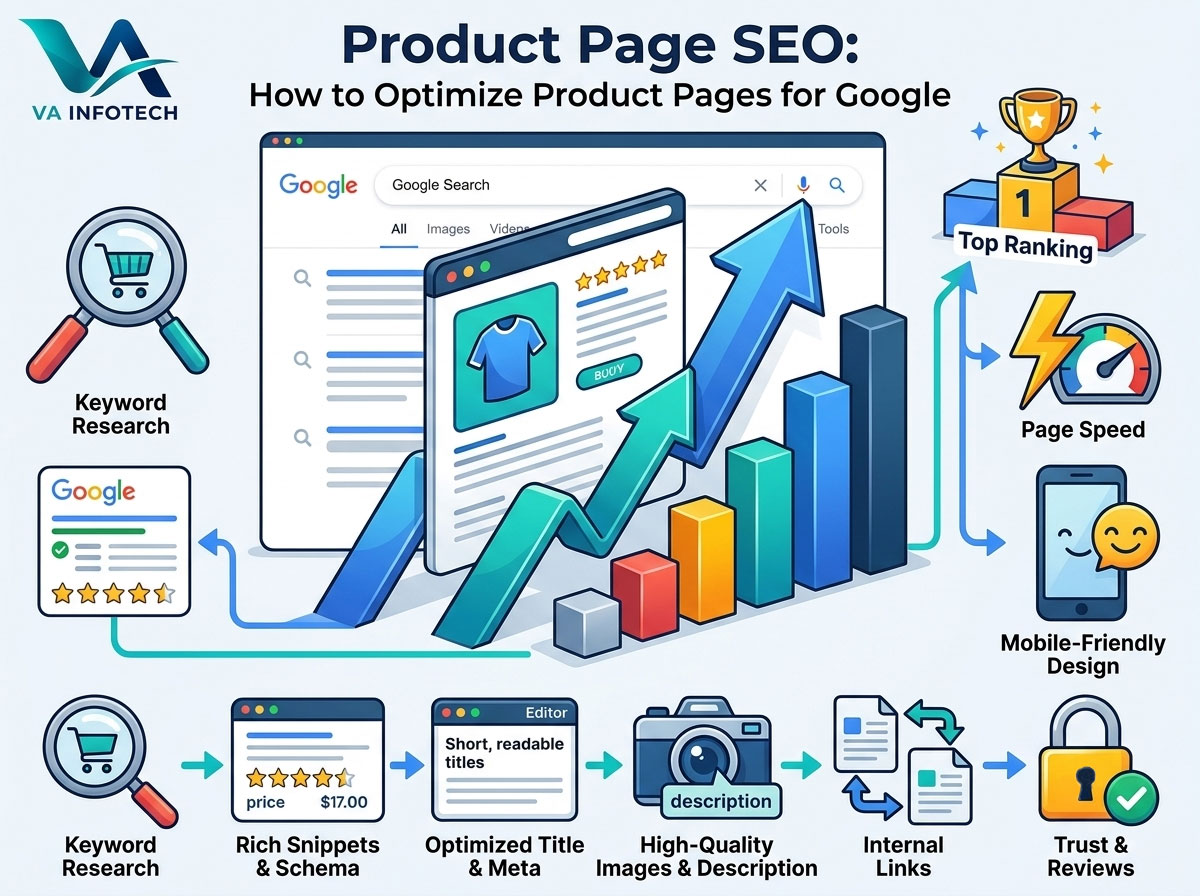
Product page SEO is the practice of making each product page easy for Google to understand, and easy for shoppers to trust and buy from. In this guide, we at Va Infotech walk through the process step by step, from keyword research to structured data, so your product pages can rank higher and convert better.
Why Product Page SEO Matters
Product pages capture people who are close to buying. Someone searching “waterproof hiking backpack 40L” has a very different mindset from someone searching “how to choose a backpack.” The first is comparing options and ready to purchase.
Optimized product pages help you:
- Rank for high-intent searches that lead directly to sales
- Stand out in search results with rich details like price, availability, and star ratings
- Reduce dependence on paid ads by earning steady organic traffic
- Improve conversion rates, because good SEO and good user experience share the same foundations
Good product page SEO also supports the rest of your store. If you’re still planning your online store, our eCommerce website design service builds SEO-friendly structure in from the start, which is far easier than fixing it later.
Step 1: Start With Product-Focused Keyword Research
Every product page needs a clear target keyword. Without one, Google has to guess what the page is about.
Look for buying-intent keywords. These usually include the product name plus a modifier, such as:
- Specific product type: “leather laptop bag for women”
- Model or brand: “Samsung 55 inch QLED TV”
- Attribute: “organic cotton bedsheet king size”
- Commercial words: “buy,” “price,” “best,” “online”
Match the keyword to the right page. A category page like “laptop bags” should target the broad term. Individual product pages should target specific, long-tail terms. This prevents your own pages from competing against each other, a problem called keyword cannibalization.
Check what Google shows. Search your target keyword and look at the results. If Google shows mostly product pages, you’re on the right track. If it shows mostly blog articles or comparison guides, that keyword may suit a blog post instead.
To avoid overlap between pages, use a keyword map. Our guide on keyword mapping: how to assign the right keyword to every page shows exactly how to do this, and it’s especially useful for stores with hundreds of products.
Step 2: Write Product Titles and Meta Descriptions That Get Clicks
The title tag and meta description are your first impression in search results. Get them right, and more people click.
Title Tag Best Practices
- Keep it around 50–60 characters so it isn’t cut off
- Put the main keyword near the beginning
- Include one useful detail, such as brand, size, color, or a key feature
- Make each title unique across the whole site
Weak title: “Product 1245 | Home”
Strong title: “Men’s Waterproof Hiking Boots – Lightweight & Durable | Store Name”
Meta Description Best Practices
- Aim for roughly 140–155 characters
- Mention the main benefit, not just the product name
- Include price, free shipping, or returns if they’re strong selling points
- End with a soft call to action, such as “Shop now” or “Order today”
Google may rewrite your meta description sometimes, but a well-written one still improves click-through rate in many cases.
Use a Clean URL
Short, readable URLs are easier for users and search engines:
- Good:
/mens-waterproof-hiking-boots/ - Poor:
/product?id=8492&cat=17&ref=home
Avoid changing URLs after launch. If you must, set up proper 301 redirects.
Step 3: Write Original Product Descriptions
This is where many stores lose ground. Copying the manufacturer’s description is fast, but every other retailer using the same text creates duplicate content. Google has no reason to rank your page over theirs.
What a strong product description includes:
- A clear opening that says what the product is and who it’s for
- Key benefits, not just features. “Waterproof membrane keeps feet dry on wet trails” is stronger than “Waterproof material”
- Specifications like size, weight, material, color, and compatibility, in a scannable list or table
- Answers to common questions, such as sizing, care, or shipping
- Natural keyword use. Include your main keyword once in the first 100 words, then use variations naturally
Don’t stuff keywords. If a sentence sounds awkward when read aloud, rewrite it.
A note on length: There’s no magic word count. Simple products may need 150–300 words, while complex or high-value items may need much more. Write what helps a buyer decide, and stop there.
Step 4: Use Clear Heading Structure
Each product page should have one H1, and it should be the product name. Use H2 and H3 headings to organize sections like “Features,” “Specifications,” “Shipping and Returns,” and “Customer Reviews.”
Clear headings help shoppers scan the page, and they help Google understand how the content is organized. They also make your content easier for AI-powered search features to pick up. If you want to understand how that works, see our article on Google AI Overviews SEO.
Step 5: Add Product Schema Markup
Schema markup is code that tells search engines exactly what’s on your page. For product pages, Product structured data is one of the most valuable technical upgrades you can make.
With correct markup, your listing may become eligible for rich results, which can show:
- Price
- Availability (in stock or out of stock)
- Star rating and review count
- Shipping and return information
Key Product schema fields to include:
name,image,descriptionskuandbrandofferswithprice,priceCurrency, andavailabilityaggregateRatingandreview(only if you have genuine reviews on the page)
Important rules:
- The markup must match what visitors actually see on the page
- Don’t mark up reviews that don’t exist or aren’t visible
- Test your pages with Google’s Rich Results Test and monitor errors in Search Console
Rich results aren’t guaranteed, since Google decides when to show them, but correct markup gives you the best chance. If you want to make sure everything on your site is technically sound before adding schema, start with a technical SEO audit.
Also consider submitting your products to Google Merchant Center. It lets your products appear in Google Shopping results and free product listings, which adds another path to visibility beyond standard search.
Step 6: Optimize Product Images
Shoppers can’t touch your product, so images carry a lot of weight. They also affect SEO in two ways: page speed and image search.
Image best practices:
- Use multiple angles, lifestyle shots, and close-ups
- Compress images without losing visible quality. Modern formats like WebP are usually smaller than JPEG or PNG
- Use descriptive file names:
black-leather-laptop-bag.jpg, notIMG_4471.jpg - Write helpful alt text: “Black leather laptop bag with brass zipper, front view.” Describe what’s in the image, and skip keyword stuffing
- Enable lazy loading for images below the fold
- Set image dimensions so the layout doesn’t jump while loading
If you offer video, such as a short demo, it can improve engagement and give shoppers more confidence to buy.
Step 7: Improve Page Speed and Core Web Vitals
A slow product page loses buyers. Google’s Core Web Vitals measure real user experience through three areas:
- Loading speed (LCP): how fast the main content appears
- Interactivity (INP): how quickly the page responds when someone clicks or taps
- Visual stability (CLS): whether elements shift around while loading
Quick wins for faster product pages:
- Compress and resize images
- Remove unused plugins, apps, and scripts
- Use caching and a content delivery network (CDN)
- Choose reliable hosting. Our web hosting service is built for speed and security
- Keep the site’s code clean and up to date
If your site keeps struggling despite optimization, the platform itself may be the bottleneck. Our comparison of custom website development vs. website builders can help you decide whether it’s time for a change. In that case, a website redesign may solve speed and structure problems together.
Step 8: Make the Page Mobile-Friendly
Most online shopping now happens on phones. Google also primarily uses the mobile version of a page for indexing, so a poor mobile experience hurts rankings directly.
Check that your product pages have:
- Readable text without zooming
- Large, tap-friendly buttons, especially “Add to Cart”
- Images that resize properly
- A simple checkout path with minimal steps
- No pop-ups that block the content
A good website design puts the mobile experience first, not as an afterthought.
Step 9: Show Reviews and Build Trust
Reviews do two jobs at once. They persuade shoppers, and they add fresh, unique content to your product page.
- Display genuine customer reviews on the page itself
- Ask buyers for reviews through a follow-up email after delivery
- Respond to negative reviews professionally. It shows buyers you care
- Include trust signals like secure payment badges, clear return policy, and visible contact details
A Q&A section also helps. When you answer real customer questions on the page, you cover the long-tail searches that shoppers actually type.
Trust matters for Google too. Clear business information, consistent details across the web, and a strong local presence all support credibility. If you also sell locally, our Google Business Profile optimization guide can strengthen those signals.
Step 10: Build Smart Internal Links
Internal links help Google discover your product pages and understand how they relate to each other. They also guide shoppers to more products.
Where to add internal links:
- Breadcrumbs: Home > Category > Subcategory > Product. These help users and search engines see your site’s structure
- Related products: “You may also like” and “Frequently bought together” sections
- Category pages: Make sure every product is linked from at least one relevant category page
- Blog content: Buying guides and comparison posts can link to product pages, and product pages can link back to helpful guides
Use descriptive anchor text such as “waterproof hiking boots” rather than “click here.”
Don’t leave any product pages orphaned, meaning no other page links to them. If Google can’t find a page through links, it may never rank it. Our SEO audit checklist for business websites helps you spot orphaned and underperforming pages.
Step 11: Handle Duplicate Content and Product Variations
Online stores often create duplicate content without realizing it. A single product in five colors and four sizes can generate twenty near-identical pages.
How to manage this:
- Use canonical tags to point similar variations to the main product page when the differences are minor
- Give separate pages only to variations people actually search for individually, such as different models with different specifications
- Control filter and sort URLs. Faceted navigation, like filtering by price or color, can create thousands of low-value URLs. Use canonical tags, noindex rules, or robots.txt carefully to prevent index bloat
- Avoid indexing internal search result pages
Canonical and indexing rules need careful setup, because a mistake can remove good pages from Google.
Step 12: Manage Out-of-Stock and Discontinued Products
What happens to a product page when the item sells out? Handling this well protects your rankings.
- Temporarily out of stock: Keep the page live, show clear availability, offer a “notify me” option, and suggest similar products
- Permanently discontinued: If there’s a close replacement, 301 redirect to it. If not, redirect to the parent category. Only return a 404 or 410 when nothing relevant exists
- Update your schema markup so availability matches what’s on the page
Deleting pages without a plan wastes the ranking value those pages built up over time.
Step 13: Track, Test, and Improve
Product page SEO is never finished. Use these tools to measure progress:
- Google Search Console: See which queries bring impressions and clicks, find indexing issues, and check structured data reports
- Google Analytics: Track user behavior, conversion rates, and revenue by page
- Rank tracking tools: Monitor your target keywords over time
Review your top and bottom pages every quarter. Pages with many impressions but few clicks usually need better titles and descriptions. Pages with plenty of traffic but few sales often need better content, images, pricing clarity, or trust signals.
Also keep an eye on how search is changing. More shoppers now research products through AI tools like ChatGPT and Perplexity. Our guide on how to get your business mentioned in AI search results explains how to prepare, and our Large Language Model SEO service is built for that shift.
Product Page SEO Checklist
Use this quick list on every product page:
- ✅ One clear target keyword, mapped to this page only
- ✅ Unique title tag under about 60 characters
- ✅ Compelling meta description
- ✅ Short, clean, keyword-relevant URL
- ✅ Single H1 with the product name
- ✅ Original description focused on benefits
- ✅ Product schema markup, tested and error-free
- ✅ Compressed, well-named images with descriptive alt text
- ✅ Fast loading on mobile and desktop
- ✅ Genuine reviews and trust signals
- ✅ Breadcrumbs and related-product links
- ✅ Canonical tags for variations
- ✅ Clear plan for out-of-stock items
Common Product Page SEO Mistakes to Avoid
- Copying manufacturer descriptions word for word
- Using the same title tag on many products
- Ignoring image optimization, which slows the page down
- Skipping structured data, which loses rich result eligibility
- Letting filter URLs flood the index
- Deleting old product pages without redirects
- Hiding key details like price, shipping, or return policy
- Neglecting maintenance. Broken links, outdated prices, and old plugins hurt both SEO and trust. Ongoing website maintenance keeps your store healthy, and a solid website backup strategy protects your product data if something goes wrong
Bring Traffic to Your Product Pages
Optimizing the page is only half of the equation. You also need people to find it. A balanced approach combines organic SEO with digital marketing, social media marketing, and PPC setup and marketing so every product page gets steady visibility. If you’re wondering how much to invest in each channel, read how much a small business should spend on digital marketing.
Final Thoughts
Product page SEO comes down to one idea: make every page the best answer to what a shopper is looking for. That means clear keywords, original content, fast loading, trustworthy details, and clean technical structure.
You don’t need to fix every page at once. Start with your top-selling and highest-margin products, apply the steps above, and expand from there. Small improvements to titles, descriptions, schema, and images often deliver noticeable gains over time.
If you’d rather have experts handle it, Va Infotech can help. Our team provides search engine optimization, eCommerce website design, and ongoing support to help your online store rank, get found, and grow.
Contact Va Infotech today for a free consultation, or explore our full range of services and latest blog posts.
FAQ Section (optional, good for FAQ schema)
What is product page SEO?
Product page SEO is the process of optimizing individual product pages so they rank higher in Google search results and convert more visitors into buyers.
How long should a product description be?
There’s no fixed length. Simple products may need 150–300 words, while complex products may need more. Focus on unique, useful information rather than word count.
Do product pages need schema markup?
It isn’t mandatory, but Product schema helps Google understand your page and may make it eligible for rich results such as price, availability, and ratings.
How do I avoid duplicate content on product pages?
Write original descriptions, use canonical tags for minor variations, and control filter and search URLs so they don’t create thousands of similar pages.
How often should I update product pages?
Review key pages at least quarterly, and update immediately when prices, stock, or specifications change.