A new website starts with no authority, no backlinks and no search history. That makes the keywords you choose in the first few months the most important SEO decision you’ll make. Target the wrong terms and you’ll compete against established brands for years. Target the right ones and you can start earning traffic and enquiries while your competitors are still fighting over the obvious phrases.
At Va Infotech, we build websites and run SEO campaigns for businesses in Ahmedabad and across India. The pattern is consistent: new sites that plan their keywords before writing content grow faster than sites that publish first and hope for rankings later. This guide walks you through building a keyword strategy for a new website, step by step.
What Is a Keyword Strategy?
A keyword strategy is a documented plan that decides which search terms your website will target, which page targets each one, in what order you’ll create content, and how you’ll measure results.
It is more than a list of keywords. A list tells you what people search for. A strategy tells you what to do about it. A solid keyword strategy answers four questions:
- Who are we trying to reach, and what do they search for?
- Which of those searches can a new site realistically win?
- Which page on our website should target each search?
- In what order should we build and publish?
Without answers to these, content is created at random, pages end up competing against each other and budget is wasted.
Why a New Website Needs a Different Approach
Established websites can rank for competitive terms because they have years of backlinks, brand searches and content history. A new site has none of that. If you target “website design” or “digital marketing” on day one, you’re competing against agencies that have been building authority for a decade.
A new website should instead:
- Start narrow. Choose specific, lower-competition phrases first.
- Build topical depth. Cover a few subjects thoroughly rather than many subjects shallowly.
- Prioritise intent. Target searches from people ready to enquire or buy.
- Grow gradually. Use early wins to build authority, then move on to harder keywords.
This is also why strategy should begin before development. If you’re still at the planning stage, read our guide on how to plan a business website before starting development. Your site structure should follow your keyword research, not the other way round.
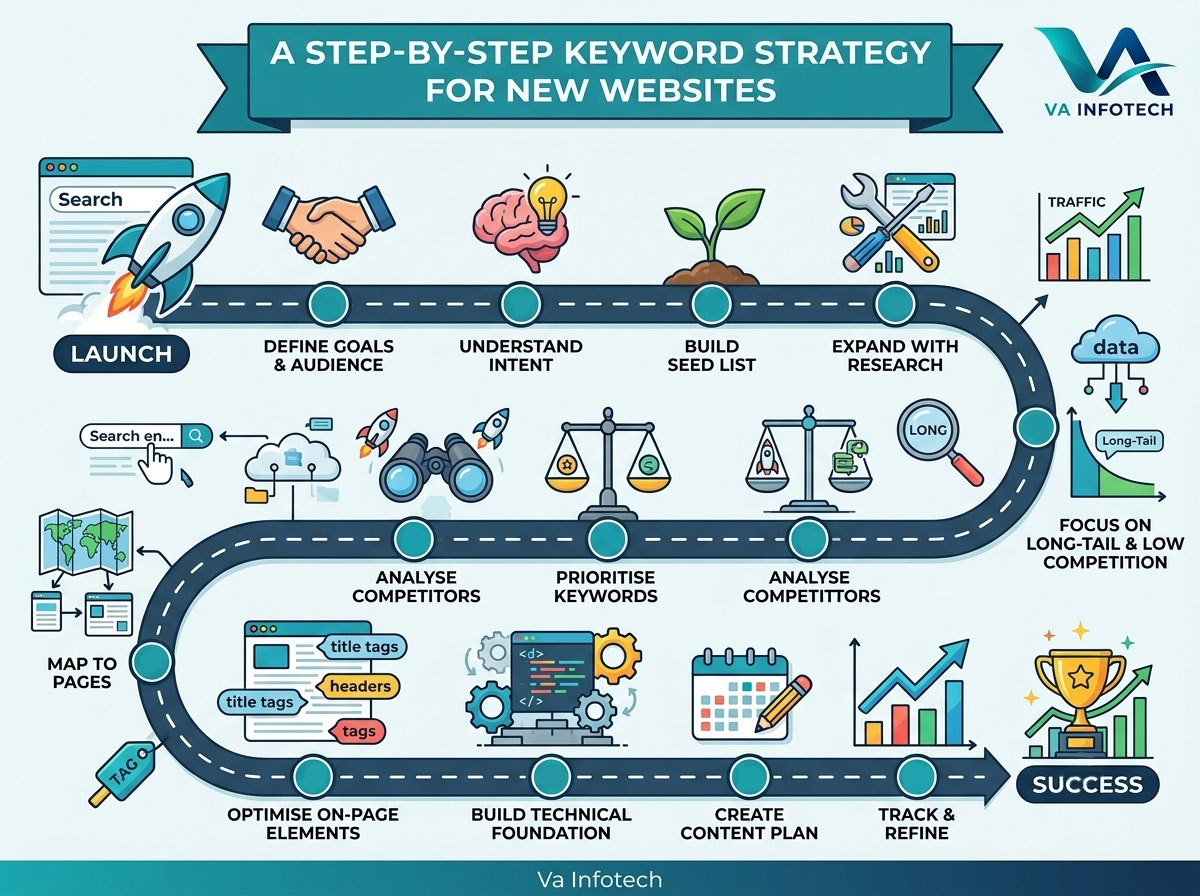
Step 1: Define Your Business Goals and Audience
Keyword research starts with business questions, not tools. Before you open a keyword planner, write down:
- What you sell and which services or products matter most
- Who your customers are (industry, location, company size, budget)
- What action you want (enquiry, call, purchase, booking, sign-up)
- Where you operate (local, national or international)
- What makes you different from competitors
A business that wants local enquiries needs a very different keyword plan from one selling nationwide online. Goals also decide which keywords are valuable. A phrase with 10,000 searches that attracts students is worth less than one with 100 searches that attracts buyers.
Step 2: Understand Search Intent
Search intent is the reason behind a search. Google tries to match results to intent, so a page that ignores intent rarely ranks, however well optimised it is. There are four main types:
| Intent | What the searcher wants | Example | Best page type |
|---|---|---|---|
| Informational | To learn something | “what is keyword mapping” | Blog post or guide |
| Commercial | To compare options | “best website design company in Ahmedabad” | Comparison or service page |
| Transactional | To buy or hire | “ecommerce website development cost” | Service or product page |
| Navigational | To find a specific site | “Va Infotech contact” | Homepage or contact page |
For a new website, commercial and transactional keywords are usually the highest priority because they bring visitors close to converting. Informational keywords build topical authority and trust, and they feed the top of your funnel.
Always check intent by searching the keyword yourself. If the first page shows service pages, a blog post won’t compete. If it shows guides, a sales page won’t either.
Step 3: Build Your Seed Keyword List
Seed keywords are the broad, obvious terms that describe your business. Start with 10 to 20. For a web agency, they might look like this:
- website design
- website development
- ecommerce website
- SEO services
- web hosting
- website maintenance
- digital marketing
Sources for seed keywords include:
- Your own services and product categories
- Questions customers ask on calls and enquiry forms
- Competitor websites, especially their menus, service pages and blog categories
- Industry terms and the words customers use rather than your internal jargon
Customer language matters. You might say “web presence solutions,” but customers search for “website design company near me.”
Step 4: Expand With Keyword Research Tools
Next, expand your seed list into hundreds of ideas. Useful sources include:
- Google Keyword Planner: free with a Google Ads account, good for volume ranges
- Google Search Console: shows real queries once your site has some impressions
- Google autocomplete and “People also ask”: reveal real phrasing and questions
- Related searches at the bottom of results pages
- Paid tools such as Semrush, Ahrefs or Ubersuggest for volume, difficulty and competitor data
- Forums, Quora and Reddit: show the exact language of your audience
For each keyword, record the monthly search volume, a difficulty or competition score, the search intent and the likely page type. A simple spreadsheet is enough to start.
Don’t rely on one tool alone. Volume figures are estimates, and tools often disagree. Use them to compare keywords against each other, not as exact numbers.
Step 5: Focus on Long-Tail and Low-Competition Keywords
Long-tail keywords are longer, more specific phrases, usually three or more words. They have lower volume individually, but they are easier to rank for and often convert better because the searcher knows what they want.
| Broad keyword | Long-tail alternative |
|---|---|
| website design | website design company for small business in Ahmedabad |
| SEO | SEO services for ecommerce websites |
| web hosting | secure WordPress hosting for business websites |
A new site should lean heavily on long-tail terms at first. A page that ranks first for a specific 50-search phrase can bring more qualified enquiries than a page stuck on page four for a 5,000-search phrase.
Local modifiers also help. If you serve a specific city or region, include it in your keyword set. Our guide on how to get more local leads from Google search explains how to combine local keywords with Google Business Profile and on-page signals.
Step 6: Analyse Your Competitors
Competitor analysis shows you what is already working in your market. Identify three to five direct competitors and the sites that rank for your target terms. Then look at:
- Which keywords their pages rank for
- How their pages are structured (length, headings, media, calls to action)
- What topics their blogs cover
- Which keywords they appear to be ignoring
The most valuable output is gaps: relevant topics where competitors have weak or missing content. Those are your opening. Don’t copy competitors. Aim to cover the topic more clearly, more accurately and more usefully than the pages that currently rank.
Step 7: Prioritise Your Keywords
You will end up with far more keywords than you can target at once. Prioritise using four factors:
- Business value: How close is this searcher to becoming a customer?
- Relevance: Does it match what you actually offer?
- Competition: Can a new site realistically rank?
- Search volume: Is there enough demand to matter?
A simple scoring system works well. Give each keyword a score of 1 to 5 on business value and ranking difficulty (5 = easiest), then sort by the combined result. Start with high-value, low-difficulty keywords. These are your “quick win” targets.
A sensible launch mix for a new website looks like this:
- Core service pages: 5 to 10 pages targeting commercial and transactional keywords
- Supporting blog posts: 10 to 20 posts targeting long-tail and informational keywords
- Local pages: city or area pages if you serve specific locations
Step 8: Map Keywords to Pages
Keyword mapping is the step many new sites skip, and skipping it causes keyword cannibalisation, where two pages on your site target the same term and compete with each other.
The rule is simple: one primary keyword per page, plus a handful of closely related secondary keywords. Every page should have a clear purpose, and every target keyword should have a home.
A basic keyword map includes:
- Page URL (existing or planned)
- Primary keyword
- Secondary keywords
- Search intent
- Page type
- Priority
For a full walkthrough, see our guide to keyword mapping and how to assign the right keyword to every page.
Mapping is also where you decide your site structure. Broad topics become category or service pages, and specific questions become supporting posts that link back to them. This is often called a topic cluster or hub-and-spoke structure. It shows search engines that your site covers a subject in depth.
Step 9: Match Keywords to the Right Page Types
Different keywords need different pages. Here’s how they typically map for a business site:
- Service keywords (“website design company”) belong on dedicated service pages, such as our website design page.
- Store and product keywords need product and category pages. Our guides on category page SEO for ecommerce websites and product page SEO show how to optimise them, and our ecommerce website design service builds stores with this structure from the start.
- Question keywords (“how does X work”) suit blog posts and FAQs.
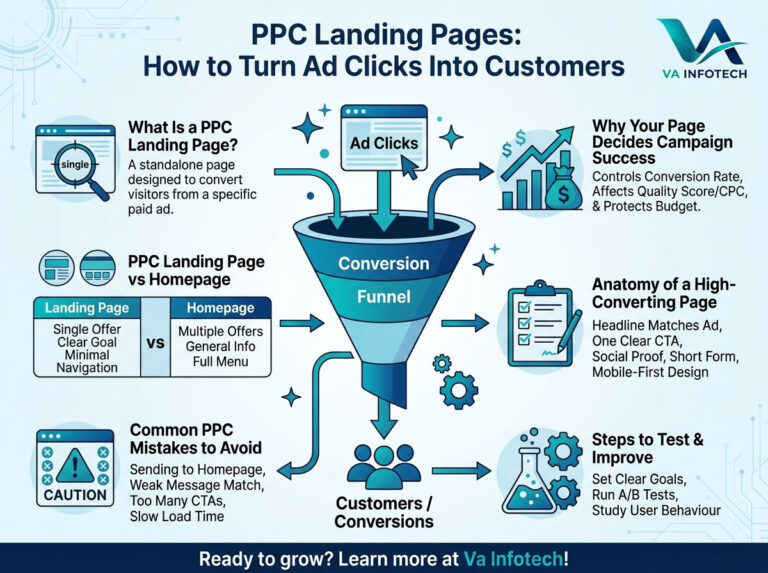
- Paid campaign keywords need purpose-built landing pages. See PPC landing pages: how to turn ad clicks into customers and our PPC setup and marketing service.
Matching the page type to the intent is what turns rankings into enquiries.
Step 10: Optimise Your On-Page Elements
Once a keyword is assigned, optimise the page properly:
- Title tag: include the primary keyword, ideally near the start, and keep it under about 60 characters.
- Meta description: write a clear summary that earns the click. It doesn’t directly affect rankings, but it affects click-through rate.
- H1 heading: one per page, matching the topic and intent.
- Subheadings (H2, H3): use secondary keywords and questions naturally.
- URL: short, readable and keyword-relevant.
- Opening paragraph: state the topic clearly in the first 100 words.
- Image alt text: describe the image accurately, with keywords only where natural.
- Internal links: connect related pages with descriptive anchor text.
Never stuff keywords. Write for people first, and use the keyword where it fits naturally. Search engines understand synonyms and context far better than they used to.
User experience also affects whether your rankings lead to results. A page that ranks but frustrates visitors won’t convert, which is why we cover how user experience affects website conversion rates, and why understanding website UX vs UI is worth the time.
Step 11: Build the Technical Foundation
Keywords can’t do their job on a site that search engines struggle to crawl or that loads slowly. Before you publish at scale, check:
- Page speed and Core Web Vitals
- Mobile-friendliness
- HTTPS and security
- XML sitemap submitted to Google Search Console
- Clean site structure with no broken links
- Indexability: no accidental “noindex” tags or blocked pages
Reliable web hosting and regular website maintenance protect both speed and uptime. Our complete SEO audit checklist for business websites lists every technical and on-page item to review before and after launch.
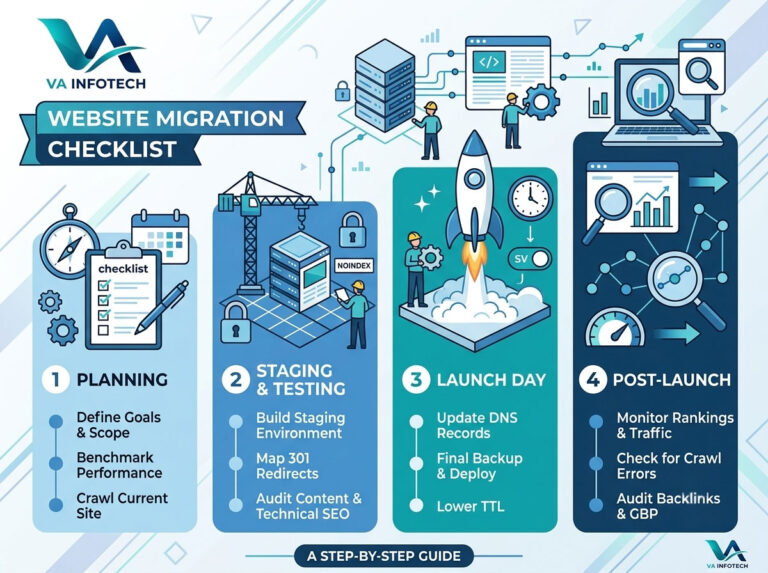
If you’re moving from an old site, protect your existing keyword rankings with a website migration checklist.
Step 12: Create a Content Plan Around Your Keywords
Your keyword map becomes a content calendar. For a new website, a practical order is:
- Month 1: Publish your core service pages, homepage and contact page, optimised for your highest-value keywords.
- Months 1 to 3: Publish supporting blog posts that target long-tail, low-competition questions and link back to your service pages.
- Months 3 to 6: Expand into comparison content, local pages, case studies and more competitive topics as authority grows.
- Ongoing: Update older pages, fill gaps and respond to what Search Console shows.
Consistency matters more than volume. Four strong, useful posts a month beat twenty thin ones. Each piece should answer a real question better than what currently ranks.
Step 13: Prepare for AI Search and Changing Results
Search results are changing. AI-generated answers, featured snippets and “People also ask” boxes now take up a lot of space on results pages. Keyword strategy should adapt:
- Write clear, direct answers to specific questions near the top of relevant sections.
- Use structured headings, lists and tables so content is easy to extract.
- Show expertise and trust with author details, real examples and accurate information.
- Cover topics in depth, not just individual phrases.
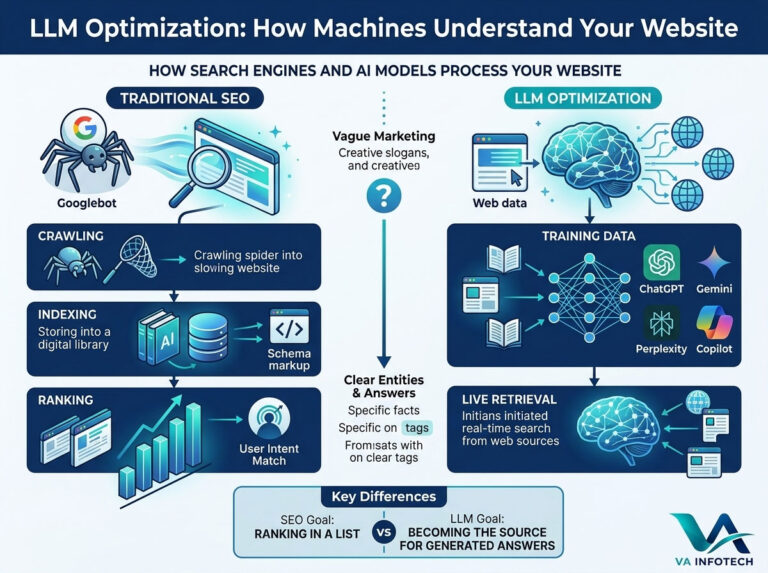
To learn how this affects visibility, read our guides on Google AI Overviews SEO and LLM optimization, or learn about our Large Language Model SEO service.
Step 14: Track, Measure and Refine
A keyword strategy is never finished. Track results from the start so you can see what’s working. Key measures include:
- Rankings for your target keywords
- Impressions and clicks in Google Search Console
- Organic traffic and the pages that bring it
- Conversions: enquiries, calls, form submissions and sales
- Engagement: time on page and bounce rate
Review monthly. Look for:
- Keywords ranking on positions 8 to 20, which are close to page one and worth improving
- Pages with impressions but few clicks, which usually need better titles
- Pages with traffic but no conversions, which need better calls to action
- New queries in Search Console that you hadn’t planned for
Give new content time. SEO usually takes several months to show meaningful movement, especially on a new domain. Judge progress by the trend, not by individual weeks.
To understand whether your marketing is paying off overall, see how to calculate digital marketing ROI for your business, and if you’re setting a budget, read how much a small business should spend on digital marketing.
Common Keyword Strategy Mistakes to Avoid
- Chasing high-volume keywords first. A new site rarely wins them. Start specific.
- Ignoring search intent. The wrong page type will not rank.
- Targeting the same keyword on several pages. This splits your authority.
- Choosing keywords that don’t convert. Traffic without buyers is a vanity metric.
- Keyword stuffing. It hurts readability and rankings.
- Publishing without a plan. Random posts don’t build topical authority.
- Skipping technical SEO. Slow or poorly structured sites waste good content.
- Never reviewing results. Search behaviour and competitors change constantly.
Keyword Strategy Checklist for a New Website
Use this as a quick reference:
- [ ] Business goals and target audience defined
- [ ] 10 to 20 seed keywords listed
- [ ] Keyword list expanded with tools, autocomplete and competitor research
- [ ] Search intent identified for each keyword
- [ ] Long-tail and local keywords included
- [ ] Keywords prioritised by value and difficulty
- [ ] One primary keyword mapped to every page
- [ ] On-page elements optimised (title, meta, H1, URL, alt text)
- [ ] Internal linking planned
- [ ] Technical SEO checked before launch
- [ ] Content calendar created
- [ ] Rankings, traffic and conversions tracked monthly
Frequently Asked Questions
How many keywords should a new website target?
Focus on one primary keyword per page and a few related secondary terms. A small business site might start with 15 to 30 pages and 50 to 100 total keywords, then grow over time.
How long does it take for keywords to rank on a new website?
It varies by competition and effort, but expect several months before steady movement. Long-tail keywords usually rank sooner than broad ones.
Should a new website target high-volume or low-volume keywords?
Start with low-competition, long-tail keywords that match buying intent. As your site gains authority, move toward higher-volume terms.
Do I need paid keyword research tools?
Not at first. Google Keyword Planner, Search Console, autocomplete and “People also ask” are enough to build a solid strategy. Paid tools add convenience and deeper competitor data.
How often should I update my keyword strategy?
Review it monthly and do a deeper update every quarter, or whenever you add services or see ranking changes.
Can I do keyword research before my website is built?
Yes, and you should. Research should guide your site structure, page list and navigation. It is much cheaper to plan correctly than to restructure later. If your existing site isn’t performing, a website redesign built around keyword research can fix structural problems at the root.
Final Thoughts
A keyword strategy gives a new website direction. Instead of guessing what to write, you know who you’re targeting, what they search for, which page serves each search and what to build first. Start narrow, prioritise intent, map every keyword to a page, build on a sound technical base and measure everything.
Done well, this approach lets even a brand-new site compete for the searches that matter, and turns early visibility into enquiries.
At Va Infotech, we help businesses plan, build and grow websites that rank and convert, from website design and search engine optimization to digital marketing and ongoing support. Browse our portfolio, read more guides on the Va Infotech blog, or contact us for a free consultation and a keyword plan for your new website. You can also visit vainfotech.com to learn more.
Want help applying this to your website?
Tell us about your business and goals. We will review your site and suggest clear next steps, free of charge.